Opencode简介
OpenCode 是一个开源的 AI 编程代理(AI coding agent),旨在帮助开发者在终端、桌面或 IDE 中更高效地编写、调试和重构代码。支持对接主流的大模型厂商,比如智谷API、DeepSeek等。
但是在某些场景下我们可能需要在内网搭建自己的模型,所以需要使用Opencode对接属于自己的大模型。
步骤
1、安装LM Studio
在LM Studio官网中下载属于自己平台的LM Studio,并且安装,当前不做详细描述。
安装好之后在点击Server,选择Local Server,打开Local Server
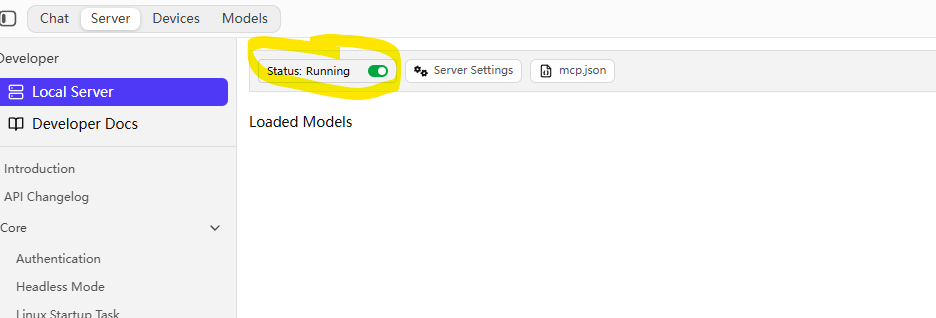
可以在Server Settings中看到当前server监听的端口:http://127.0.0.1:1234
本地模型可以从https://huggingface.co/models?num_parameters=min:0,max:9B&apps=lmstudio&sort=trending&search=GPT-5中下载。
2、OpenCode对接LM Studio
在当前用户的.config\opencode下面新建opencode.json中新增下面配置:
{
  "$schema": "https://opencode.ai/config.json",
  "disabled_providers": [
    "lm_studio_local"
  ],
  "provider": {
    "lm_studio": {
      "name": "lm studio",
      "npm": "@ai-sdk/openai-compatible",
      "models": {
        "lfm2.5-1.2b-glm-4.7-flash-thinking@q6_k": {
          "name": "lfm2.5-1.2b-glm-4.7-flash-thinking"
        },
        "glm4.7-distill-lfm2.5-1.2b-i1": {
          "name": "glm4.7-distill-lfm2.5-1.2b-i1"
        }
      },
      "options": {
        "baseURL": "http://localhost:1234/v1"
      }
    }
  }
}
重启opencode可以看到自定义的模型了。